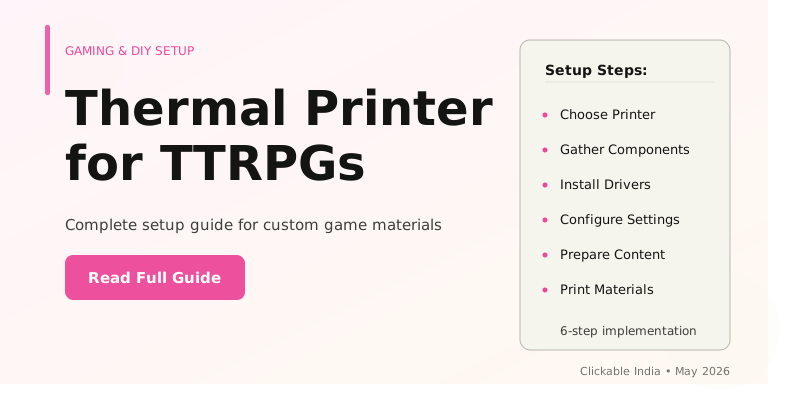
Create Your Own Thermal Printer Setup for TTRPGs
What You'll Learn
- How to choose the right thermal printer for tabletop RPGs.
- Steps to connect and configure your thermal printer.
- Techniques for designing custom printouts for characters and maps.
- Best practices for maintaining your thermal printer.
- Common pitfalls to avoid during setup.
Prerequisites
Before diving into your thermal printer setup, there are a few essentials you will need. First, a thermal printer is crucial for producing high-quality, inkless prints, which are perfect for TTRPG materials like character sheets and maps. Additionally, you should have a computer or laptop with design software installed, such as Adobe Illustrator or any free alternatives like GIMP, to create your print designs. Ensure you have access to thermal paper rolls that fit your printer model, as well as a reliable internet connection for downloading necessary drivers and software. Lastly, familiarity with basic printer settings and design software will significantly enhance your setup experience.
Step 1: Choose the Right Thermal Printer
The first step in creating your thermal printer setup for TTRPGs is selecting the right model. There are various types of thermal printers available, including direct thermal and thermal transfer printers. Direct thermal printers use heat-sensitive paper, which is generally cheaper and simpler to maintain, making them ideal for quick prints of character sheets and game materials. On the other hand, thermal transfer printers use a ribbon to produce prints, offering greater durability and the ability to print on a wider variety of media.
When considering your options, focus on the printer's compatibility with your devices, print speed, and resolution. A resolution of at least 203 DPI is recommended for clear, legible prints. For example, if you plan to print detailed maps, a higher resolution will ensure that all features are easily discernible. In India, popular brands like Epson and Zebra offer reliable thermal printers suitable for TTRPG setups; however, always check local reviews and user feedback to ensure you choose a dependable model that fits your budget.
Step 2: Download and Install Drivers
Once you have chosen your thermal printer, the next step involves downloading and installing the appropriate drivers for your operating system. Most manufacturers provide driver software on their official websites, allowing you to select the correct version for Windows, macOS, or Linux. Installing the correct drivers is essential, as they enable your computer to communicate effectively with the printer.
After downloading the driver, run the installation file and follow the on-screen prompts. It's important to connect your printer to your computer via USB or Bluetooth as directed during the setup process. For instance, if you are using a USB connection, ensure that the printer is powered on before initiating the installation. Once the installation is complete, you can test the connection by printing a test page, which confirms that everything is functioning properly.
Step 3: Design Custom Printouts
The next major step is to create custom designs for your TTRPG materials using your preferred design software. This could include anything from character sheets, spell cards, to intricate maps. Utilizing templates can speed up this process; various online platforms offer free downloadable templates specifically tailored for TTRPGs.
When designing, pay attention to dimensions that fit your thermal printer's paper size. Most thermal printers use paper rolls that are typically 57mm or 80mm wide. For instance, if you are designing a character sheet, ensure that all text and images are scaled appropriately to avoid cutting off important information. Additionally, consider using bold fonts and clear graphics to enhance readability. After finalizing your design, save the file in a compatible format such as PDF or PNG for optimal printing quality.
Step 4: Print Your Designs
Now that you have your designs ready, it’s time to print. Open your design file and select the print option from your software. Make sure to choose your thermal printer from the list of available printers and set the correct paper size. Before hitting ‘print,’ double-check your printer settings, including print quality and orientation. For example, if you’re printing a landscape-oriented map, ensure that the orientation is set accordingly.
After printing, inspect the output to check for any discrepancies. It may take a few attempts to get the settings just right, especially if you are trying different paper types or sizes. Remember, if you encounter issues with print quality, consult your printer’s manual for troubleshooting tips, which may include adjusting the heat settings or checking for any paper jams.
Common Mistakes and How to Avoid Them
- Neglecting to calibrate the printer: Always calibrate your printer before printing to ensure accurate and consistent output.
- Choosing the wrong paper type: Using incompatible thermal paper can lead to poor print quality. Always check the specifications for your printer.
- Ignoring software compatibility: Ensure that your design software is compatible with the printer drivers to avoid issues during printing.
- Skipping test prints: Always conduct test prints to identify any issues before printing in bulk, saving time and resources.
- Forgetting about maintenance: Regularly clean your printer to prevent dust and debris buildup, which can impact print quality.
India-Specific Tips
When setting up your thermal printer for TTRPGs in India, consider the availability of thermal paper and printer models. Local electronics markets and online platforms like Amazon India and Flipkart offer a variety of thermal printers and compatible paper rolls, often at competitive prices. In addition, local businesses may also offer custom printing services that can cater to specific needs, such as printing high-quality character sheets or maps.
Moreover, be mindful of the power supply in your area as some thermal printers may require a stable voltage. Consider purchasing a voltage stabilizer if your area experiences frequent fluctuations. This additional investment can prolong the life of your printer and ensure consistent performance.
Frequently Asked Questions
What materials can I print using a thermal printer for TTRPGs?
How do I connect my thermal printer to my computer?
What software is best for designing printouts?
Where can I buy thermal paper in India?
Stay Updated
Get the latest posts delivered to your inbox.
Related Posts
Is This How We'll Build Websites Soon? Exploring webMCP Live Demo
Discover how webMCP is set to revolutionize website development and AI integration in 2026. Explore its features and...
Exploring New Methods for Desalination in 2026
Learn about innovative desalination methods transforming ocean water into drinking water, addressing global water...