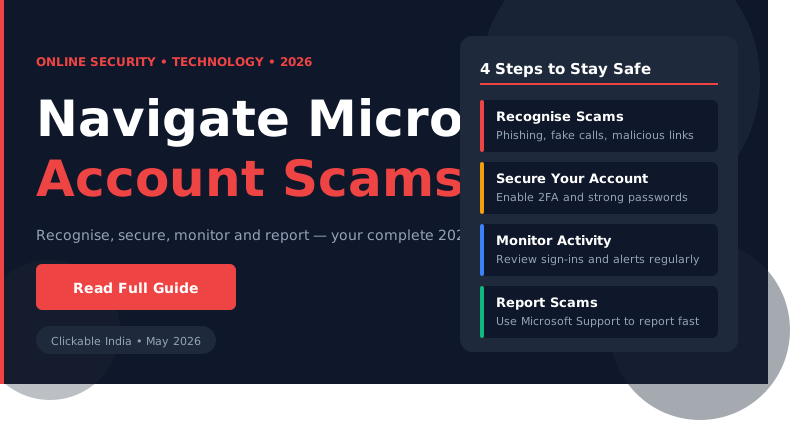
Safely Navigate Microsoft Account Scams: Step-by-Step Guide
What You'll Learn
- Identify common Microsoft account scams.
- Understand how to secure your account effectively.
- Learn the steps to take when you suspect a scam.
- Recognize the signs of phishing attempts.
- Get tips for safe online practices.
Prerequisites
Before delving into the steps to navigate Microsoft account scams safely, ensure that you have the following:
- A Microsoft account to work with, whether it be for personal or business use.
- Access to the internet for research and verification purposes.
- Basic understanding of how to use email and web browsers.
- A secure device that is free from malware and viruses.
- Access to a secondary email or phone number for account recovery options.
Step 1: Recognizing Microsoft Account Scams
Understanding what constitutes a Microsoft account scam is the first step towards safeguarding yourself. Scammers often impersonate Microsoft to trick users into providing sensitive information, such as passwords or financial details. They may also send fraudulent emails claiming there is an issue with your account that requires immediate action.
Common scams involve phishing emails that appear to be from Microsoft, which often include links to fake websites designed to capture your login credentials. Always check the sender’s email address for inconsistencies, such as misspellings of the Microsoft domain or unusual domain names.
When in doubt, avoid clicking on links or downloading attachments from unsolicited emails. Instead, navigate to the official Microsoft website directly by typing the URL into your browser. This simple habit can prevent falling victim to many scams.
Step 2: Securing Your Microsoft Account
Once you understand the types of scams, it’s essential to take steps to secure your account. Start by enabling two-factor authentication (2FA). This adds an extra layer of security by requiring not only your password but also a code sent to your phone or email for verification.
To enable 2FA, log into your Microsoft account, go to “Security settings,” and locate the option for “Two-step verification.” Follow the prompts to set it up. This can significantly reduce the risk of unauthorized access even if your password is compromised.
Additionally, regularly update your password to something complex that combines letters, numbers, and symbols. Avoid using easily guessable information, such as birthdays or common words. It’s advisable to change your password every few months as a precaution.
Step 3: Responding to Suspected Scams
If you believe you’ve encountered a scam, the first step is to report it. Microsoft provides a dedicated webpage for reporting phishing scams. You can forward suspicious emails to Microsoft’s phishing email address (phish@office365.microsoft.com) to help them track down and eliminate fraudulent activities.
Moreover, if you have already provided personal information or suspect that your account has been compromised, immediately change your password. Follow the steps to secure your account, as mentioned in the previous section. It’s also wise to monitor your account for any unauthorized transactions or changes.
If you notice any unusual activity, consider contacting Microsoft support directly for assistance. They can help guide you through the process of recovering your account and securing it against further attacks.
Step 4: Educating Yourself and Others
Staying informed is crucial in the fight against scams. Regularly educate yourself about the latest phishing techniques and scams targeting Microsoft accounts. Microsoft often updates its security blog with tips on recognizing and avoiding scams.
Moreover, share this knowledge with friends and family. Often, scams target less tech-savvy individuals who may not recognize the signs. By spreading awareness, you can help protect those around you from falling victim to similar scams.
Participate in online forums or communities that focus on cybersecurity. These platforms can provide valuable insights and updates on emerging threats. The more you learn, the better equipped you will be to spot and handle scams.
Common Mistakes and How to Avoid Them
- Ignoring suspicious emails: Always investigate unexpected communications before responding.
- Using weak passwords: Create strong, unique passwords for each account to enhance security.
- Clicking on links without verification: Always verify the URL before clicking on links in emails.
- Neglecting software updates: Keep your software and antivirus programs updated to protect against new threats.
- Failing to educate others: Share knowledge about scams to help protect friends and family.
India-Specific Tips
In India, online scams have become increasingly common, with many targeting users through emails and phone calls. It’s essential to stay vigilant and informed about local scams, which may have different tactics compared to global ones. For instance, some scams may present themselves as offers for free trials or promotional deals that require your Microsoft account details.
Additionally, consider using Indian cybersecurity tools and resources, such as the Cyber Crime Helpline (1930) or the National Cyber Crime Reporting Portal, where you can report and seek assistance regarding online scams. Awareness campaigns by local government bodies can also provide valuable insights into protecting yourself online.
Frequently Asked Questions
What should I do if I receive a suspicious email claiming to be from Microsoft?
How can I secure my Microsoft account?
What are the signs of a phishing attempt?
Can I recover my account if it gets hacked?
What resources are available in India for reporting scams?
Stay Updated
Get the latest posts delivered to your inbox.
Related Posts
Is This How We'll Build Websites Soon? Exploring webMCP Live Demo
Discover how webMCP is set to revolutionize website development and AI integration in 2026. Explore its features and...
Exploring New Methods for Desalination in 2026
Learn about innovative desalination methods transforming ocean water into drinking water, addressing global water...
Step-by-Step Guide to Setting Up Your Home Automation System with Smart Devices in 2026
Learn how to set up your home automation system using smart devices with our comprehensive guide, tailored for India in...